Background and context
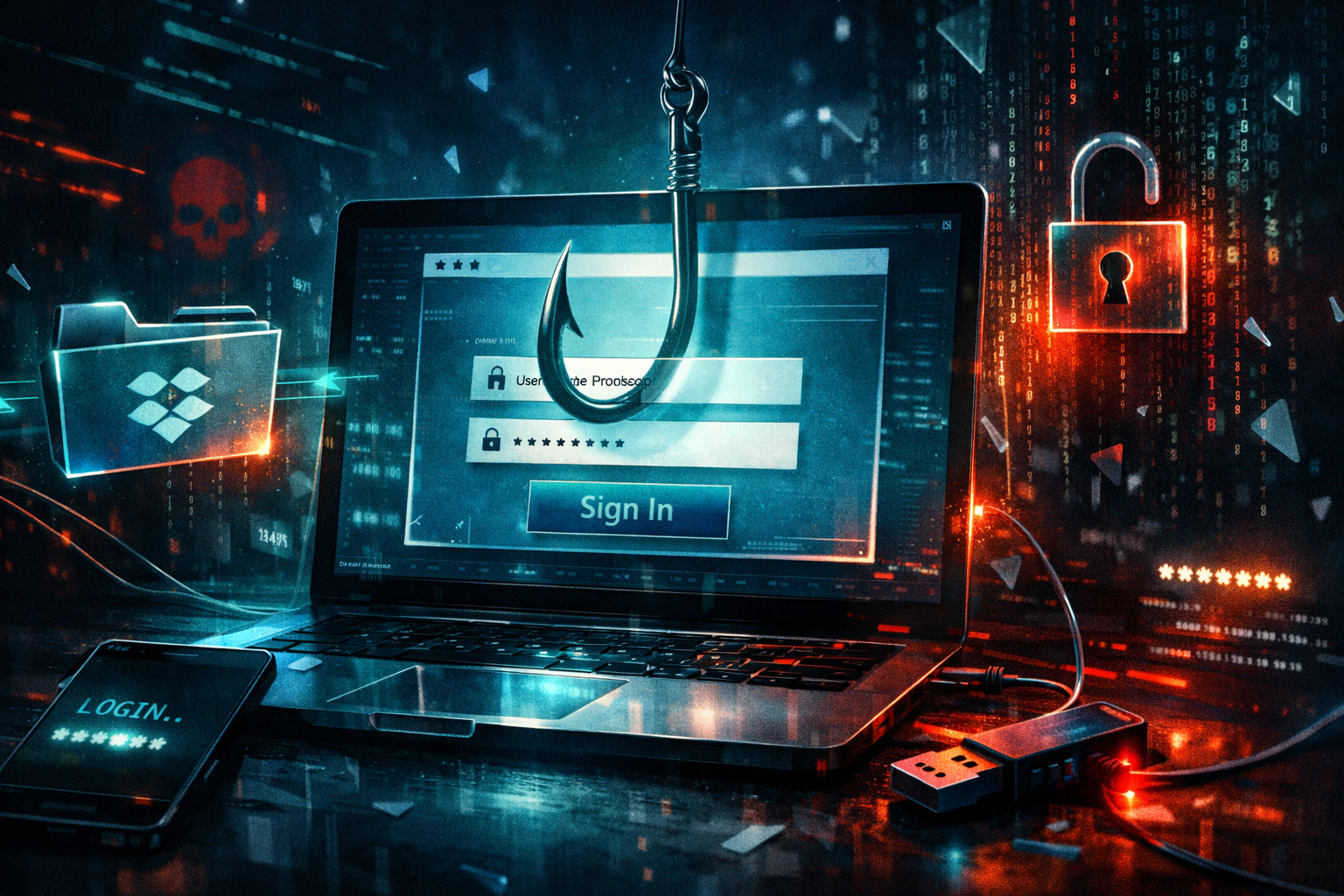
A newly reported phishing campaign is targeting corporate Dropbox users with a multi-stage lure designed to steal passwords rather than deliver malware. According to Infosecurity Magazine, the attack begins with a business-themed message and uses a PDF attachment containing a hidden link to move victims toward a fake login flow, a tactic that can reduce the chances of straightforward email-link detection catching the threat early (Infosecurity Magazine).
That tradecraft reflects a larger shift in phishing operations. Instead of relying on malicious attachments that drop malware on endpoints, many attackers now go after cloud identities directly. Security agencies and threat researchers have repeatedly warned that valid credentials can be more useful than malware because they provide immediate access to SaaS platforms, shared files, and internal communications with less noise on the endpoint side (CISA; Google Cloud / Mandiant; Microsoft Security).
Dropbox is a logical target. In many organizations it sits at the center of file exchange, contract review, project collaboration, and external document sharing. A compromised corporate Dropbox account may expose sensitive files, customer records, intellectual property, and internal discussions. It can also be used as a launch point for additional phishing, especially if attackers gain access to trusted sharing workflows.
How the attack works
Based on the reporting, the campaign appears to follow a classic but effective multi-step chain. First, the victim receives an email framed as a routine business request. That framing matters: users are more likely to engage when a message appears related to procurement, document review, invoicing, legal paperwork, or a customer request. Business-context lures also blend into normal inbox traffic better than generic scams (Infosecurity Magazine).
The second stage is the notable one. Instead of presenting a visible phishing URL in the body of the email, the attackers reportedly hide the link inside a PDF. This can be done in several ways: a clickable image, embedded text, an annotation, a button, or an interactive form element. Some secure email gateways inspect visible links aggressively but treat common business file types differently, especially if the document itself does not contain executable code. That makes PDFs an attractive vehicle for link delivery.
Once the user clicks inside the PDF, the attack likely redirects them through one or more URLs before landing on a counterfeit Dropbox sign-in page. Redirect chains are common in phishing because they can obscure the final destination from both users and basic scanners. In some campaigns, the first hop may be a compromised website or a legitimate cloud-hosted page used as a relay.
The final stage is credential harvesting. The fake page asks for the user’s Dropbox username and password and may, in more advanced setups, request a one-time code or attempt to proxy the login process in real time. The initial reporting centers on password theft, and no public evidence has tied this campaign to a software exploit or CVE. This appears to be social engineering and identity theft, not exploitation of a vulnerability (Infosecurity Magazine).
From a MITRE ATT&CK perspective, the activity aligns most closely with spearphishing attachment and spearphishing link techniques, followed by user execution and abuse of valid accounts after compromise. That pattern is increasingly common in cloud-focused intrusions, where the credential itself is the payload.
Why PDF-based phishing remains effective
PDFs remain one of the more persistent phishing blind spots because they are ordinary business documents. Organizations exchange proposals, contracts, invoices, reports, and HR forms as PDFs every day. Blocking them outright is rarely practical. Attackers exploit that trust and the fact that users often do not inspect document links as carefully as direct email hyperlinks.
There is also a user-interface problem. On mobile devices and some desktop mail clients, the distinction between an email link and a document-embedded link is not always obvious. Users may see a polished PDF with a familiar brand, click a prominent button, and assume they are following a legitimate workflow. Phishing cues such as odd domains, URL parameters, or redirects are much easier to miss in that context.
Security vendors and threat researchers have long noted that document-based phishing can bypass simplistic filtering approaches. Microsoft has documented the broader move toward identity-focused phishing and credential theft, while CISA has emphasized stronger identity protections such as phishing-resistant MFA and improved user reporting for suspicious messages (Microsoft Security; CISA).
Impact assessment
The direct targets are corporate Dropbox users, but the real risk extends beyond individual accounts. Any organization that uses Dropbox for internal collaboration or external document sharing could be affected. Teams in finance, procurement, legal, sales, operations, and executive support are especially exposed because they routinely handle unsolicited or semi-expected business requests and document exchanges.
If credentials are stolen, the immediate impact may include unauthorized access to cloud-stored files, mass downloads, data theft, and the creation of new malicious sharing links. Depending on the victim’s permissions, attackers could access sensitive contracts, customer records, employee data, or strategic documents. If the same password is reused elsewhere, the damage can spread to email, CRM, or other SaaS systems.
Severity depends on the account’s privilege level and the organization’s controls. A standard user account with limited access still presents a serious risk if it holds confidential documents or can send trusted messages internally. An admin or power user account raises the stakes substantially, especially if it can manage shared folders, external access, or security settings.
There are also secondary effects. Attackers with access to a trusted Dropbox account may send convincing follow-on phishing messages to coworkers, customers, or suppliers. That can turn a single stolen password into a broader business email compromise scenario or a supply-chain style trust attack. For regulated organizations, any exposure of personal or customer data could trigger legal review, breach notification duties, contractual fallout, and reputational damage.
The campaign also reinforces a strategic point: many modern phishing operations do not need malware to be effective. Stealing one cloud password can be enough to gain persistence, collect data, and move quietly through business workflows.
What defenders should watch for
The initial report did not include a public list of indicators of compromise, so defenders should focus on behavioral signs. Watch for business-themed emails carrying PDFs with clickable areas or embedded links, especially when the sender is unknown or the request is unexpected. Monitor for Dropbox logins from unusual devices, geographies, or impossible-travel patterns. Review spikes in file downloads, newly created shared links, changes to sharing permissions, and unusual external collaboration activity.
Security teams should also examine whether their email security stack detonates or extracts links from PDFs and other document types. Many environments are stronger at filtering direct hyperlinks than links buried in attachments. That gap matters here.
How to protect yourself
Be skeptical of document-driven login prompts. If an email asks you to open a PDF and then sign in to view or respond to a business request, pause. Instead of clicking through the document, open Dropbox directly from a known bookmark or type the official site manually.
Inspect PDFs for hidden links. Hover over clickable text or buttons when possible. On mobile, where hovering is not available, treat any document asking for credentials as suspicious unless you independently verified the sender and request.
Use phishing-resistant MFA where available. Hardware security keys or passkey-based authentication offer stronger protection than SMS or app codes against many credential theft scenarios. CISA has repeatedly recommended phishing-resistant MFA for organizations defending cloud accounts (CISA).
Turn on login alerts and review account activity. Dropbox and other SaaS platforms provide security notifications and session visibility. Unexpected sign-ins, new devices, or unusual file activity should be investigated quickly. Dropbox also publishes security guidance for account protection and sharing controls (Dropbox Security).
Use unique passwords and a password manager. Password reuse turns a single phishing event into a multi-account compromise. A password manager reduces that risk and makes fake domains easier to spot because it will not auto-fill credentials on lookalike sites.
Harden email and attachment inspection. Organizations should sandbox PDFs, extract embedded URLs, and flag messages that combine business-request language with attachment-based calls to action. User reporting buttons in email clients can also help surface suspicious lures quickly.
Secure connections on untrusted networks. While a VPN service will not stop phishing, it can add a layer of privacy protection when employees access business tools over public Wi-Fi. That should complement, not replace, identity protections and security awareness.
Train for realistic scenarios. Generic anti-phishing advice is not enough. Staff should be shown examples of PDF lures, cloud-login impersonation, and document-sharing scams that mirror day-to-day work.
Bottom line
This Dropbox-focused campaign is a concise example of where phishing is headed: fewer noisy payloads, more polished business pretexts, and greater emphasis on stealing cloud identities. The hidden-link-in-PDF tactic is not new, but it remains effective because it exploits both user trust and defensive gaps in document inspection. For organizations that depend on SaaS file sharing, the password is now one of the most valuable assets to defend.